How to recolor pixels?
- Recolor pixels in ezgif
Our guinea pig will be this pixel 
- Go to https://ezgif.com/effects and put your pixel
- Now you want your Saturation go to 0. Click tint and put the color you want.
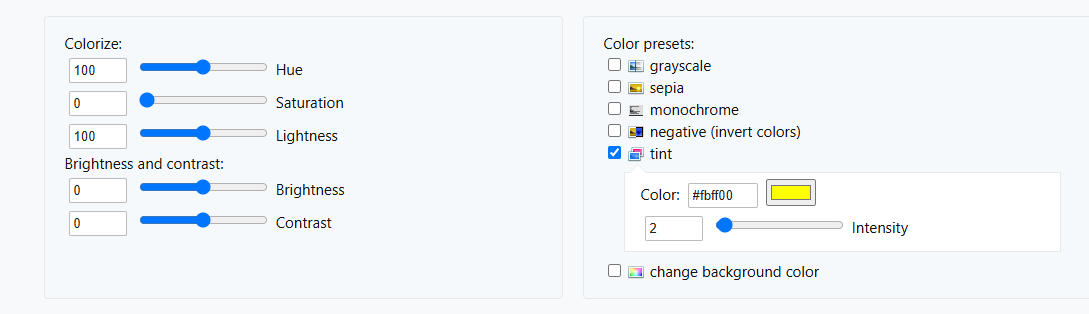
- Important part! You need to play with the settings.
Hue: Usually doesn't do anything
Saturation: Don't touch it
Lightness: Makes your whole pixel brighter or darker
Intensity: How much color will be on pixel
Brightness: Brightens the bright parts on a pixel
Contrast: Well it's a contrast
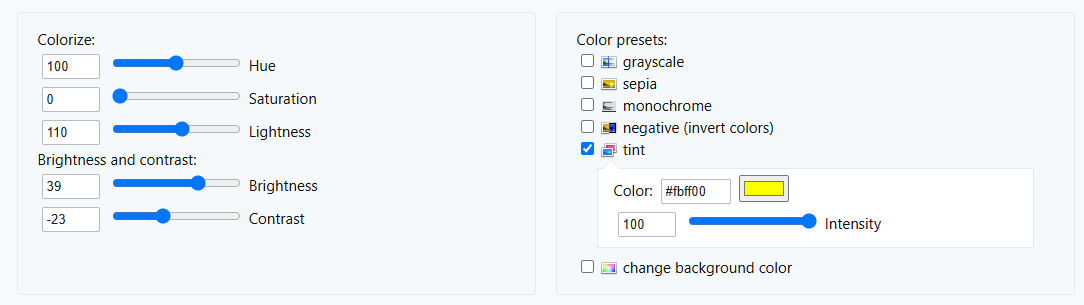
And you are done! Here our pixel  . If you want to see my settings, here are they
- Recolor pixels in photopea
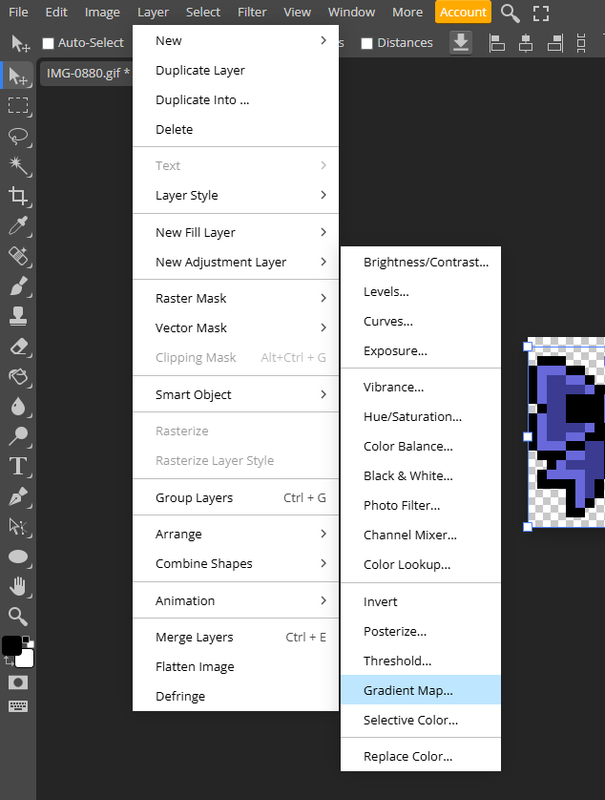
- Throw your pixel into Photopea. Go to "Layer", "New adjustment layer" and then "Gradient map"
If the gradient map didn't appear, maybe it appeared in the folder with the pixel
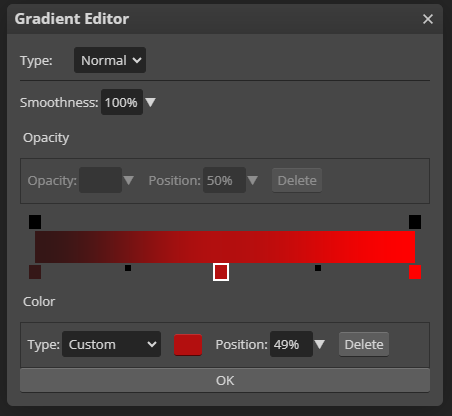
- Click on the gradient layer and click on the small gradient bar.
- Now put the colors you want!
- Click "File" ➜ "Export as" ➜ GIF
Congrats. Here is the pixel 
The gradient that I used:
Bonus: Make gradient pixels in photopea
- Click "Layer" and then "New fill Layer", "Fill Gradient". And adjust how you like
- Now you need to make the gradient fill turn into a clipping mask (right-click on your gradient, and then you can choose clipping mask) and choose the layer style "color" or "hue".
Note: Color and Hue work badly with white and black.
You are done! Here is the pixel that I created 
Pub: 2026-07-27 19:32 UTCEdit: 2026-09-23 07:39 UTCViews: 37